Blog

  • Poppies

    Poppies

    I have a thing for Poppies. I love them. I love what they symbolize, I love that I can grow them, and I think that they’re one of the prettiest flowers out there.  I also love how they blossom on the lapels of Canadians for 2 weeks before Remembrance Day.  With Remembrance day being less than 2 weeks away, I thought I’d post some fun facts and figures about our symbol of Remembrance (Source: Legion.ca)

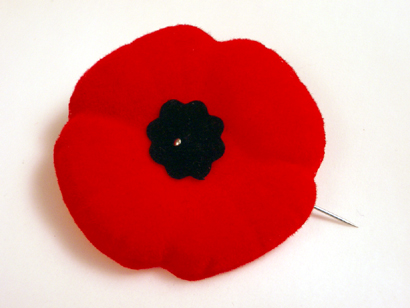
    %{include image.html url=“/wp-content/uploads/2012/10/poppy21.jpg” alt=“A red poppy with a black centre” description=“2012 Poppy”}

    • As I mentioned in my post on Remembrance, 18 Million poppies are distributed annually.
    • There is NO COST for a Poppy.  They are freely given.  If you wish to make a donation towards the Poppy campaign, that is strongly encouraged.
    • There is no “set period” for when Poppies can be worn, though traditionally they are worn for the 2 weeks prior to Remembrance day and the official kick off to each year’s Poppy campaign is the last Friday in October.  Poppies are also traditionally worn at Commemorative Services such as National Peacekeepers’ Day, The Battle of the Atlantic, The Battle of Britain, and at funeral services for Veterans.
    • While you can attach your Poppy however you wish, the Legion does not promote using any other pin through the centre of the Poppy (even if it is a Canadian flag or the ceramic Poppy pin that you buy at the Legion) In the words of Legion Canadian Command though their FAQs: “It is the position of the Legion that the Poppy is the sacred symbol of Remembrance and should not be defaced in any way. No other pin, therefore, should be used to attach it to clothing.”  That said, if it’s a choice between wearing a Poppy with a pin through the centre or no Poppy at all; Wear the Poppy!
    • To keep your Poppy on your coat or shirt, use a plastic earring back (you can get a package of 50-100 at a dollar store) or a piece of eraser on the pin.  You can also double the pin back but then you risk stabbing yourself.
    • Poppies should be worn on the left side – closest to the heart.
    • Poppy centres in Canada were originally black, then changed to green to represent the fields where Poppies grow.  In 2002, the Legion changed the centre back to black as that is what a true poppy looks like.
    • Proceeds from the Poppy Campaign are held in trust (separate from Legion funds) to be used to help Veterans, their families and to help promote Remembrance.

    Please wear your Poppy with pride and remember the sacrifices made by our veterans. [please-wear-your-poppy-with-pride-and-remember-the-sacrifices-made-by-our-veterans.]

    A Remembrance Day Craft Idea: Poppies made with love [a-remembrance-day-craft-idea-poppies-made-with-love]

    Last, but not least, I have a craft that I’ve used with my Brownies, Guides, and Sunday School kids in the past to help promote Remembrance.  It’s a Poppy made out of love.  I was trying to figure out how to make an easy Poppy craft and thought that hearts looked a lot like the petals of a Poppy.  I also really liked the symbolism of the hearts and the Poppies together.

    Supplies:  Red paper, black paper (you can also use red and black foam either precut or not), scissors, glue (glue sticks work well if you are using paper, white glue if you use foam), safety pins

    Optional: heart punch, Cricut machine (Especially if you are trying to cut out enough hearts for 50 kids!)

    Step 1:  Cut 4 hearts out of red paper (If you’re one of those people who can plan things in advance, you can use foam hearts from the dollar store purchased around Valentine’s Day)

    If you are using a Circuit Machine, my poppies were made using the basic heart from the George and Basic Shapes cartridge on the 1 1/2 inch setting or the 1 inch setting and the circles are either the smallest circle on the smallest setting or the inside of the charm circle on the smallest setting.

    Step 2 Cut a small circle out of the black paper.  This will be the centre of the Poppy so adjust sizes according to the size of the hearts.
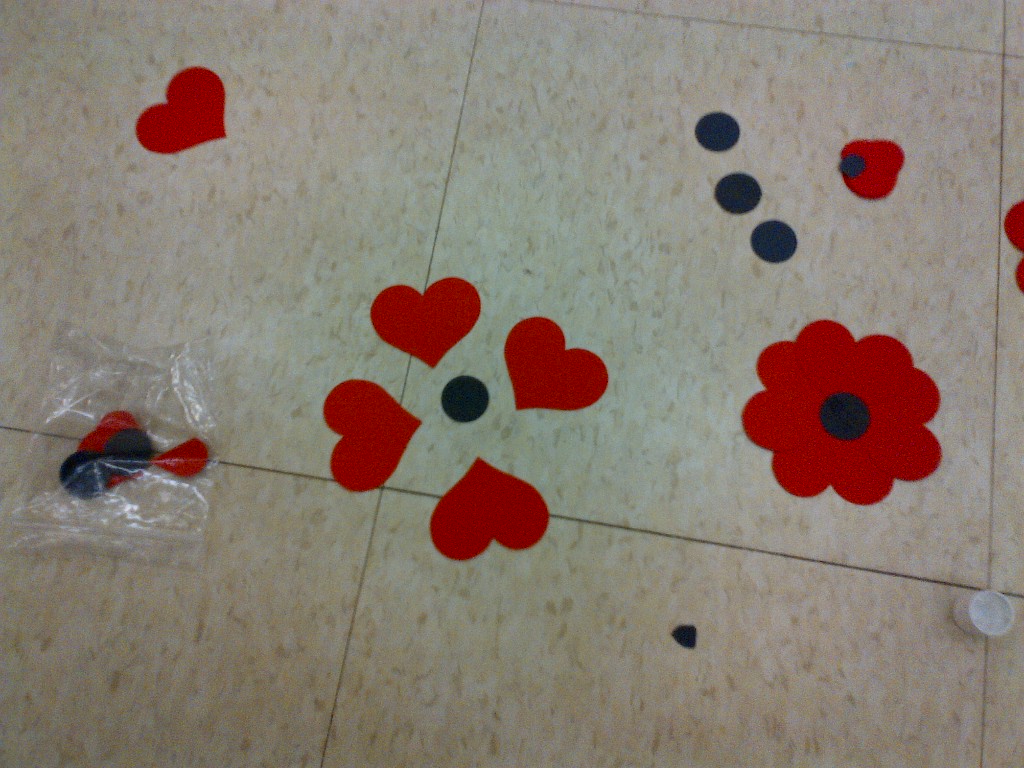
    a view of 2 hand made poppies, one put together and one with the 4 hearts spaced about 4 cm apart from each other and the black circle in the middle. There are extra pieces scattered on the floor around the 2 poppies.
    Exploded view of the process

    Step 3: Apply glue on the black circle.

    Step 4:  Attach hearts to the black circle The can either be touching or spread out a bit.  It’s really up to you.

    Step 5.  Allow to dry for at least 5 minutes.

    Step 6. Attach a safety pin to the Poppy.
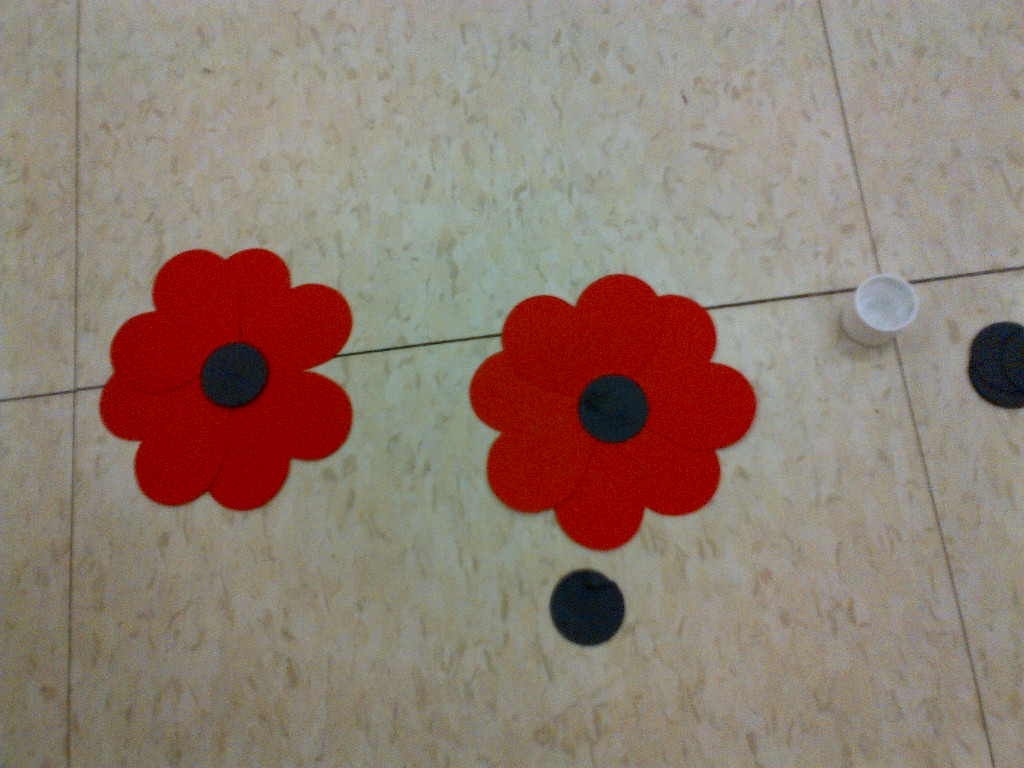
    Two completed construction paper poppies lay on a gym floor
    The Finished Product

    Voila you have a poppy made from love.  It’s a quick and easy craft – the hardest part is the prep work!
  • Remember

    Remember

    Remember   verb ri-ˈmem-bər

    1. To retain in the memory; keep in mind; remain aware of.

    2. To recall to the mind by an act or effort of memory; think of again.

    (Source: Dictionary.com)

    Today is the last Friday in October, which means that it’s the start of Poppy Campaign by the local branches of the Royal Canadian Legion.  I have worn the same poppy for the past three years but I always make a donation into the box whenever I see a volunteer giving out poppies.   It’s a common misconception that poppies are for sale.  Poppies are not for sale, rather they are freely given away.  You can choose to make a donation but it is not mandatory.  According to the website of the Royal Canadian Legion, “During the Poppy Campaign some 18 million poppies and 70,000 wreaths, crosses and sprays are distributed across Canada and overseas annually”.  18 million poppies.  The number is staggering.  When you make a donation to the Legion through the annual Poppy Campaign, the money is used to help veterans and the families of veterans.  The main purpose of the Poppy Campaign, though, isn’t to raise money but to remind Canadians of the sacrifices made by over 117,000 Canadians who died in service to their country.

    With the Canadian involvement in Afghanistan in recent years, Canadians have begun to think more about military service and what it entails.  Canada is very fortunate.  2012 marks the 200th anniversary of the war of 1812, the last war fought on Canadian soil.  As a nation, we do not know first hand the horrors of war.  Our military, however, is full of brave men and women willing to forgo the safety and comfort of their home and native land and serve in countries such as Afghanistan, the Democratic Republic of Congo, Egypt, Kosovo, Cyprus, Sudan, and Libya as well as protecting Canadians here at home.   All veterans, regardless of whether they were involved in military action overseas or remained in Canada are eligible for membership in the Royal Canadian Legion.  Regardless of military service, all Canadians are eligible to become members of their local legion branch.  Like donating to the Poppy Campaign, Legion Membership is another way to help support the terrific programs and services that the Legion provides.

    A red lapel poppy with a black centre
    My 2012 Poppy.

    Back to the poppy though.  One of the most common misconceptions about the poppy is that it is somehow promoting war or militarism when in fact the opposite is true.  The poppy is an international symbol of remembrance, our promise to those who died so that we could be free that we will not forget their sacrifice.  Rather than promoting militarism, the poppy is our unspoken vow to the fallen that their death shall not have been in vain; our promise that we will strive to keep the peace that they fought so valiantly for.   Wearing a poppy over the left lapel of your coat or on the left side of your shirt (close to your heart) is a way every Canadian can say thank you to the brave men and women who made the ultimate sacrifice.

    This year, Remembrance Day is on a Sunday.  I truly hope that everyone who is able comes out to a cenotaph near them to pay respect to our veterans.  Every year the number of World War II and Korean War veterans diminishes.  We owe it to all of our veterans to have a strong turnout at cenotaphs across the country this year.  It is likely that this is the last weekend Remembrance day with many of our WWII vets.  Having been fortunate enough to spend time with veterans at my local Legion branch for the past few years, I can assure you that the veterans appreciate it when people take time out of their busy lives to attend a Remembrance Day ceremony.  If you cannot attend, please observe two minutes of silence at 11 am on November 11th.

    I close now with the words of the poet Laurence Binyon (1869-1943) in his poem “For the Fallen”, that are spoken at Remembrance Day and memorial services around the world:

    They shall grow not old, as we that are left grow old:
    Age shall not weary them, nor the years condemn.
    At the going down of the sun and in the morning
    We will remember them.

    How will you remember?

  • She’s Connected and my BlackBerry

    She’s Connected and my BlackBerry

    You know what I absolutely love hearing when showing off my Bold 9900?  “Wow, I didn’t know a BlackBerry could do THAT”.  I heard that a lot this weekend at the She’s Connected Conference in Toronto.  Mostly it was the simple things like the fact that managing multiple accounts in the Native Twitter Application is so easy.  Or that I could remote control my PlayBook from my Bold 9900 (to be honest, that was me showing off because I had the bluetooth keyboard for the PlayBook and was perfectly capable of typing on that but I like the wow factor of the remote control).  I loved meeting so many fellow BlackBerry devotees and being able to help them use their devices more easily.  It’s not rocket science but there are tips and tricks that will enhance your experience as a member of Team BlackBerry.

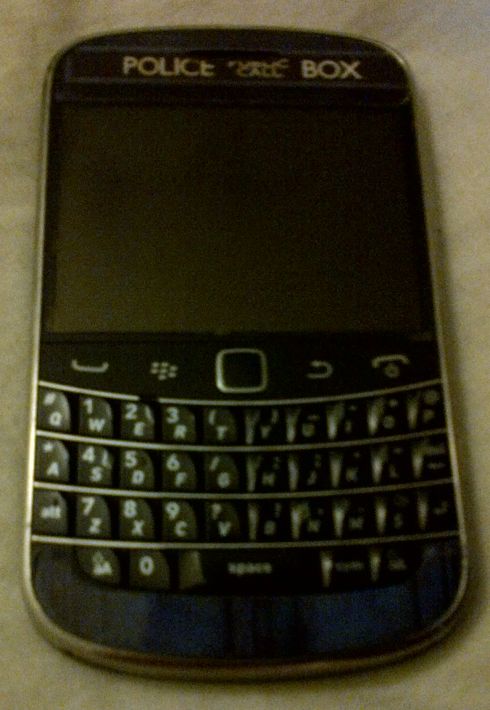
    A BlackBerry Bold 9900 with a sticker on it that makes it look like the TARDIS from Doctor Who - a blue police box
    My BlackBerry Bold 9900

    The one question everyone seemed to ask me was if I was excited about the upcoming release of the BlackBerry 10 devices and operating system.  The answer to that was an unequivocal YES!  I am very excited about BlackBerry 10 and can’t wait until it is released!  I still don’t know how I’m going to get a BlackBerry 10 device into my hot little hands but rest assured, it will be done.  I have friends who are developers for BlackBerry and their excitement at what the BB10 OS can do has rubbed off on me.    I truly believe that there is a core market of BlackBerry users who may have switched to another platform who are waiting for an excuse to come back to the BlackBerry fold.  I believe that the BlackBerry 10 Operating System will be the thing to bring them back.  I spoke to quite a few people who either had been BlackBerry users in the past or who were simply curious about the new product launch.  A number of them were at the end of their cell phone contracts and were eligible for a new device, either now or at the beginning of the year.  After chatting with me, many of them are waiting to see what BlackBerry 10 has to offer before deciding what phone to get. I wasn’t out to strong arm people into becoming members of Team BlackBerry but I wanted people to give it a chance.

    BlackBerry isn’t for everyone.  If you want a smartphone to game on, then this isn’t the right solution for you.  However, if you want your phone to work FOR you, and WITH you then you need to consider BlackBerry.  I primarily use my BlackBerry for social media, emails, as a gps, as a camera, and *gasp* to make and receive phone calls  Yes I have a number of very entertaining apps and games, but they’re not the reason I chose my BlackBerry.  I have far more games on my 64 gb PlayBook.

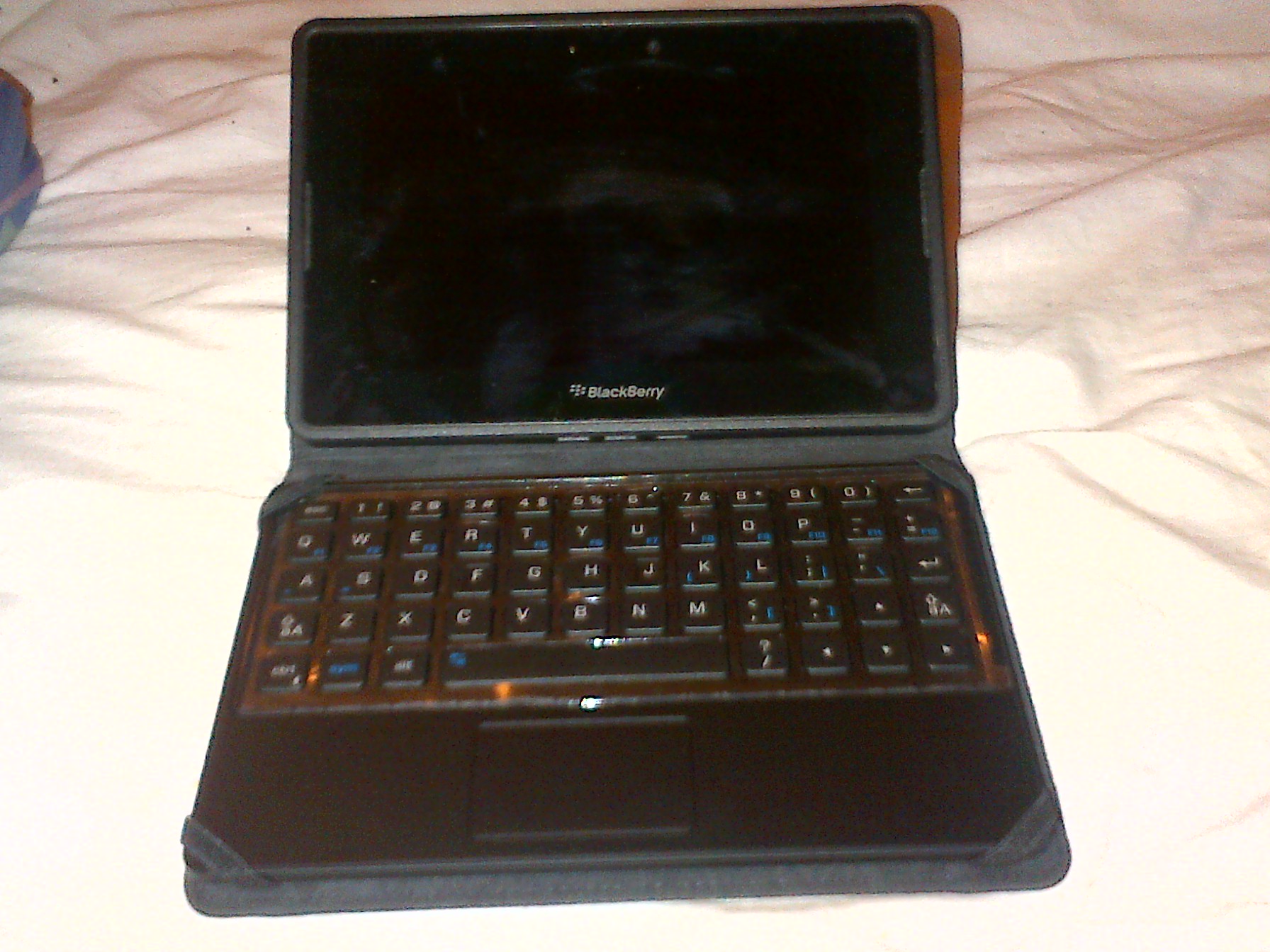
    BlackBerry PlayBook, small rectangular tablet in a case with a full keyboard
    My PlayBook

    Not once all conference did i wish I had a different phone.  My Bold 9900 had no issues connecting to the wifi, releasing the cached wifi info page so I could log in again on the second day, or with maintaining a battery charge throughout the conference.  I don’t want to have to carry around a charger for my phone because it won’t last 10 hours.  I was having too much fun trying to meet up with twitter friends to be hunting for somewhere to plug in my phone.

  • Thoughts on She’s Connected 2012

    Thoughts on She’s Connected 2012

    In case you haven’t noticed, I’ve been blogging over at my other blog Adventures with my BlackBerry for the last few months.  I’m going to have another wrap up there but from the technological side of things – how my BlackBerry helped me make connections and made my conference experience more enjoyable.  This is more about the experience I had at She’s Connected (or SCCTO which was the twitter hashtag for the event), what I learned, and the great people I met.

    Overall, I had a great time at She’s Connected. The getting up at the crack of dawn wasn’t something I was looking forward to but I had great carpool with Courtney and Jacki and not only did we get to the hotel an hour before the conference breakfast was supposed to start, the fabulous people at the Renaissance Hotel were able to check us into our room super early (at 7am) so that we didn’t have to come back later and check in or try to do it after the conference when we were tired etc.  I have to say that the Renaissance is a fabulous hotel, and I wish I’d spent more than just one night there!   I’d go back for Grey Cup in the blink of an eye but it’s definitely out of my price range!

    I learned a lot about myself at the conference.  I learned I can be funny and witty in real life even with strangers and when I’m scared to death that I’ll say something stupid and they will write me off as a moron.  I learned that mink eyelashes are pretty cool and very dramatic but take a long time to get used to.  I learned that having a professional do a blow out on my hair leads to the same result as me doing one – flat hair in less than an hour!  Not that the stylist from Blo wasn’t really good, but my hair is stupid that way.  It looked fabulous for the hour, but then it was just messy and full of product.   I learned that I really get a kick out of people complementing me on my business cards (which were super fabulous thanks to Lindsay from Grace Announcements).

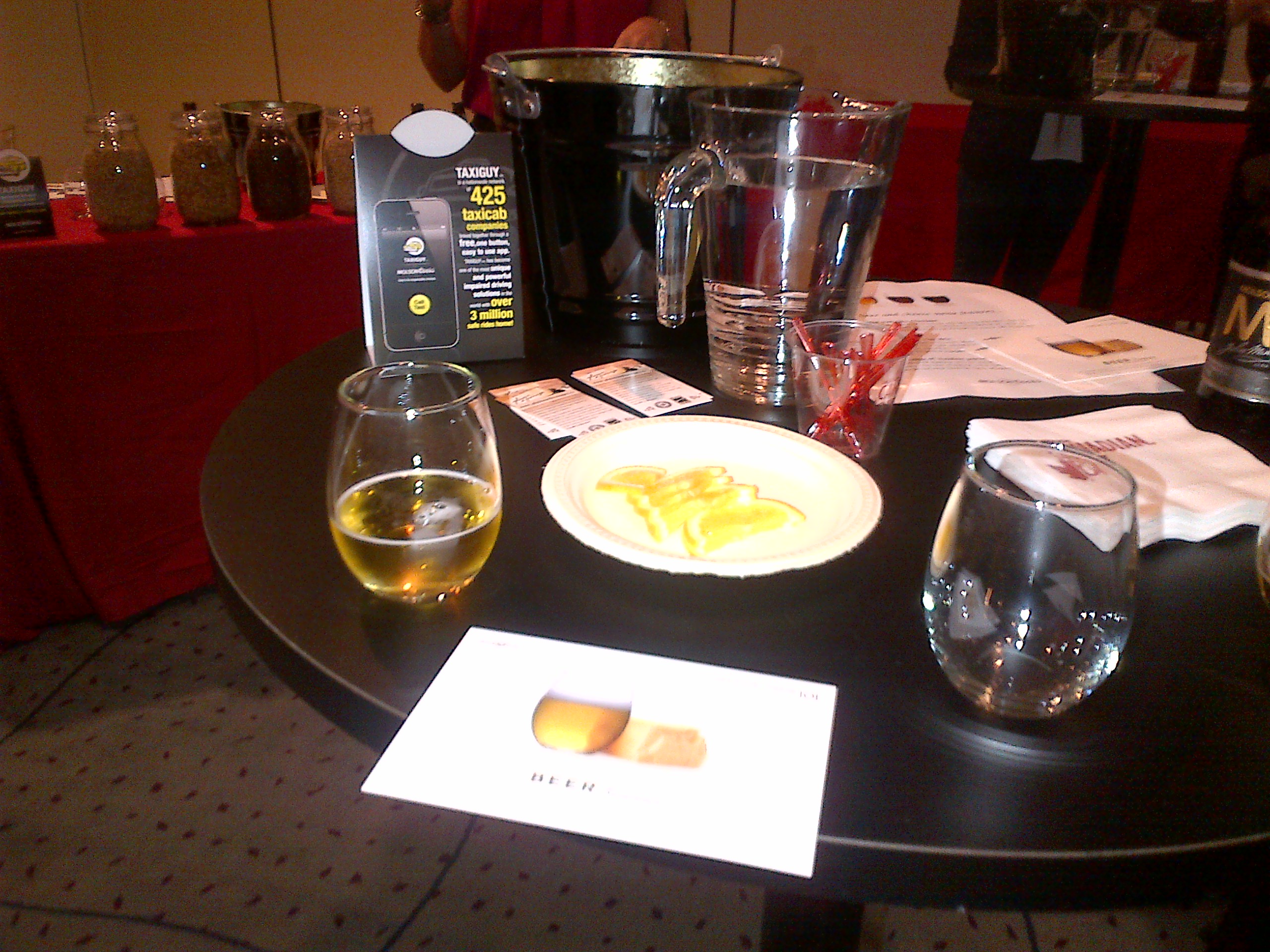
    The sessions were amazing.  It’s impossible to pick just one to single out as the best.  One of the best part of the sessions was that the panelists and speakers were more than willing to meet and speak with the attendees after the panels.  There were 2 time slots in which I couldn’t find a session that I really wanted to attend, one on Friday and one on Saturday.  This worked out pretty well because it gave me a chance to hang out in the McCafe lounge and get my nails painted and enjoy a chair massage.  On Friday I got to hang out in the Molson 67 lounge and learn about pairing Beer and Cheese.  This was really awesome and I’m never going back to wine and cheese again.

    A hightop bar table with 1 small glass of beer, an empty glass, and a plate of cheese between the two glasses.
    Beer and cheese = nature’s perfect pairing.

    I learned a lot about trying to find a niche in the overcrowded world of online writing, editing and social media.  I got some awesome advice from awesome people.  I got to meet people with whom I’ve been tweeting and BBMing for over a year. I learned that if I love blogging (and I do) I should keep doing it.  That getting a chance at a community manager position isn’t as impossible a dream as I thought it would be and that some brands and agencies are okay with paying bloggers.

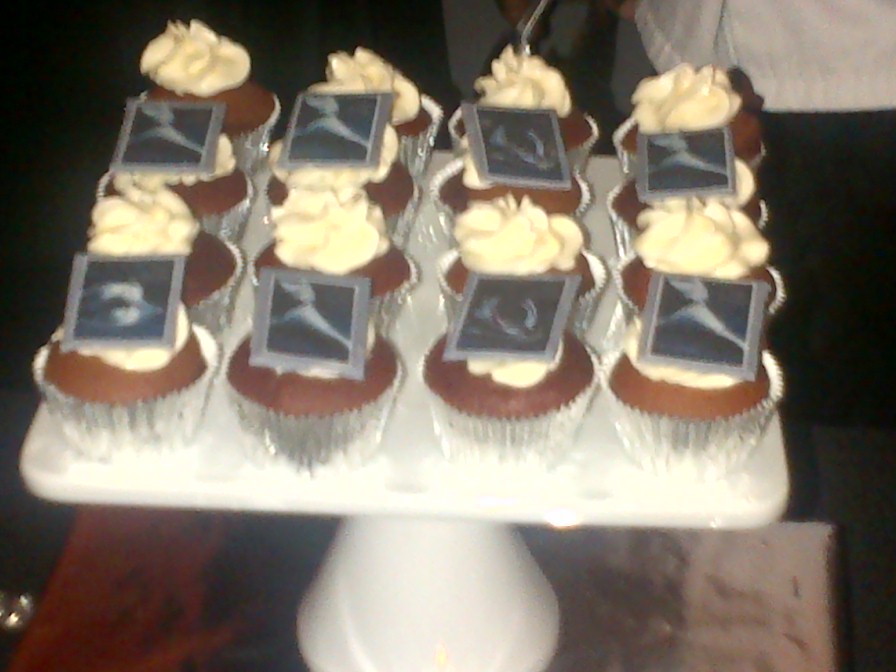
    I missed the Friday ’80s Party because I wanted to go watch the Argos Lose Argo game and play with Argonotes.  I love playing with the best band in the CFL.  Even when the team loses, we get to go out and entertain thousands of people.  I did, however, stick around for the Shades of Grey party on Saturday night.  There’s not a lot to say about that Party other than wow.  I got gel nail polish put on – it’s supposed to last 2 weeks and so far it’s lasted through me digging in sand and typing so I’m impressed.  The food was delicious!  It’s A Cake Thing made some of the best cookies and cupcakes that I’ve ever had!  They looked as good as they tasted.

    a tray with 12 vanilla cupcakes with white frosting in 3 rows of 4. The front and back rows have decorations in greyscale on them
    The Shades of Grey Cupcakes

    All in all it was a great 2 days.  I’m glad it was only 2 days because I was exhausted at the end of the party.  I know I’ve missed some wonderful people and things in this wrap up but the point is, it was a great experience and I can’t wait to go again next year.

  • Conference Time!

    Conference Time!

    I’m very excited to be going back to the She’s Connected Conference this year.  Last year I had a great time meeting new people and learning a lot about blogs, brands and how the two can work together.  The only thing I really didn’t like about the experience was lugging my laptop around to take notes on.  This year I’m solving that problem by borrowing a BlackBerry PlayBook Keyboard Case from a friend to test it out during the conference.  If I like it, I may just have to find a way to purchase one. My BlackBerry PlayBook already goes pretty much everywhere I do, so it makes sense to use it at the conference.  I will, of course, also be taking my BlackBerry Bold 9900.  Not only can I use the BlackBerry Bridge and connect my tablet to my phone, but I can use my BlackBerry PlayBook charger to charge everything.  I love the way it looks like a little netbook but one that has a ton of great apps on it.

    %{include image.html url=“/wp-content/uploads/2012/10/playbook-keyboard.jpg” alt=“A BlackBerry Playbook stands up on a bed in a case with a full keyboard” description=“The PlayBook with keyboard”}

    Yes I realize I’m a little insane to be going to a conference about blogging and social media and not taking my laptop.  I still love my laptop (though at 7 years old it’s on its last legs) but I don’t like lugging it around and constantly worrying about it being stolen.  With the keyboard, I have everything I need to make my BlackBerry PlayBook into a mini laptop for the 2 days I’ll need it.  I covered the Grey Cup in 2011 without taking my laptop (again it was a weight / space / afraid it would get broken issue) and didn’t really miss it and won’t be borrowing the digital audio recorder again since the recording on my PlayBook is actually better quality and easier to upload.  One thing I want to try to find before I leave for the conference is a neoprene sleeve so the case doesn’t get scratched when I toss it in my bag.  I got a neoprene case with the PlayBook but it’s too small to fit the PlayBook and case.
    I’m also going to be wearing a BlackBerry shirt to the conference on Friday.  I have promised several people that I’d help set up their BlackBerry devices to do what they needed them to do and I figure it’s best if they can find me.  🙂  While I don’t work for Research In Motion (though I would love to work for such a great company whose products I love and use daily), I have spent a lot of time with my BlackBerry Bold 9900, my friends’ BlackBerries, and I’ve got a pretty good grasp of what’s going on with them.  If I should happen to run into a problem that I can’t fix, I also know that help is only a BBM message away.    If you’re attending the She’s Connected Conference and want me to show you how either my Bold 9900 or my PlayBook / PlayBook with keyboard work just ask!  I’m always happy to talk mobile devices!

  • Ten Things you need to know about your BlackBerry

    Ten Things you need to know about your BlackBerry

    Since I started this blog, I’ve met a lot of other members of Team BlackBerry.  One of the things that constantly astounds me is how few people regularly back up their BlackBerry handheld devices.  I learned the hard way about backing up my BlackBerry – earlier this year I managed to brick my Bold 9900 (totally a user error on that one).  I hadn’t backed up in over a month, and while I have a lot of technologically inclined friends, I still lost a few things.  I now back up my BlackBerry at least once a week and have BlackBerry Protect doing a daily back up.  Some of these tips seem really simple, and they are very easy to implement but they will make life easier as a BlackBerry owner.

    1. Plug it in!  Plug your BlackBerry into your computer to create a backup and to move files and folders from your computer to your device and vice versa.  You may never need the backup, but if you do, you’ll be happy you did it.

    2. Use folders so that your home screen isn’t cluttered with apps.  Keep only the things you access daily on your home screen.

    3. Update your BlackBerry – Not just the Operating System (OS) updates but also applications.  Having the latest version of an application means it’s more likely to work the way it was intended and integrate with other applications such as Blackberry Messenger (BBM) more smoothly.

    4. Turn off WiFi coverage when you’re out of range for it.  Unless you’re searching for hotspots, you don’t actually need your wi-fi on when you’re out and about.  When wi-fi is turned on, it will continuously look for networks to connect to which will drain your battery.

    5. Press and hold the BlackBerry button to see what applications are running in the background and close any that you aren’t actually using in order to free up memory and save your battery. The BlackBerry Button is the one that looks like this:

      %{include image.html url=“/wp-content/uploads/2012/10/blackberry-logo.jpg” alt=“The BlackBerry logo – 3 columns of elongated white filled in capital D shapes with 2 in the first column, 3 in the middle column, and 2 in the 3rd column” description=“The BlackBerry Logo.”}

    6. Blackberry Shortcuts.  These are awesome.  Tired of typing your number in a Facebook message, direct message on twitter or on BBM?  Type mynumber and poof – there it is.  Mypindoes the same thing but with your PIN.  If you need to insert the date into a post, type ld (long date) and the date will show up (ie: Tue, Oct 15, 2012). To get the long version of the current time, type lt to show (12:54:45 AM).

    7. Going to a movie and need to put your phone on vibrate quickly?  Press and hold the “Q” key and it will automatically switch your phone to vibrate.  To switch back, press and hold the “Q” key again.

    8. Set up auto on/off times.  You can do this by going to Settings –> Device –> Auto On /Off  and set what time you want your BlackBerry to automatically turn off at night and when you want it to turn on in the morning.  You can set different times for weekdays versus weekends too.

    9. Learn how to do a soft reset of your device.  You know the handy Ctrl + Alt + Del command you use to reboot your computer?  You can do the same thing on your BlackBerry by pressing Alt + Shift + Del at the same time. (If you have a full touch screen you’ll have to do the battery pull instead)

    10. Get a shell or a holster and a screen protector.  I love my holster – it means that I can always have my BlackBerry on me.  If you dislike holsters (and I know some of you do), get a shell casing so the back doesn’t get all scratched up in your purse or briefcase.  The cases make the BlackBerry easy to grip too.  A screen protector is a must if you have a touchscreen and it’s great even if you don’t.  When applied correctly, they don’t interfere with the touchscreen sensitivity but help protect your screen against nicks and scratches.  Of course you can always get a really cool sticker for your BlackBerry like I have for mine.  Have I mentioned how much I love my TARDIS-Berry?

    Well, that’s it.  Those are my top 10 BlackBerry tips.  Do you have a tip or a trick for other members of Team BlackBerry?

  • Why I’m Retiring the GPS

    Why I’m Retiring the GPS

    I don’t actually have a GPS but my parents do, as do a lot of my friends, so when I’m going somewhere where there’s a good possibility of my getting horribly, horribly lost (*cough* Hamilton *cough*) I borrow someone’s GPS to ensure I make it back home.  I’ve managed to make out decently well with borrowed GPS units in the past but they’re bulky and I can’t leave it in the car for fear of it being stolen .  All that is a thing of the past now that I have discovered the wonder that is BlackBerry Traffic.    BlackBerry Traffic is a free app that you can download from BlackBerry App World and in my opinion, it’s better than a GPS and it’s on something you’re probably bringing with you anyway – your BlackBerry!

    Once downloaded, BlackBerry Traffic appears as an icon on your homescreen.  It’s pretty easy to find – it’s the one that looks like traffic lights

    %{include image.html url=“/wp-content/uploads/2012/09/traffic.png” alt=“A BlackBerry home screen with 3 rows of app icons on it. One of the app looks like a traffic light and is circled in Red” description=“BlackBerry Traffic”}

    Now I’m a huge fan of putting things in folders on the BlackBerry, but I leave BlackBerry Traffic out on my homescreen because I use it pretty much daily.

    Once you start up BlackBerry Traffic, you can set up addresses for “Home” and “Work”.  You can also add an address to the “My Places” section if you know the address you’re looking for, or you can search for one you don’t know.

    %{include image.html url=“/wp-content/uploads/2012/10/traffic-2.png” alt=“BlackBerry Traffic Home screen with the words BlackBerry Traffic Where do you want to go? Choose a destination on the screen and home, set work, my places, and search options below it.” description=“The BlackBerry Traffic Home Screen”}

    Once you choose your destination, the app does a search based on current traffic conditions and gives you two options. You select the one you want to take, and you get step by step voice instructions either through your bluetooth headset or through the speaker on your BlackBerry to where you’re going.  It gives plenty of notice for upcoming turns, allowing you to change lanes if necessary.  It’s best to set your destination before you go because otherwise your attention won’t be on driving and the app won’t be hands free.  (I have, when needed, pulled over to the shoulder to revise a route.)

    I have a very bad habit of not being able to find my way to or from Ivor Wynne Stadium in Hamilton.  Every time I’ve gone there I’ve been lost.  Except this year.  The difference?  BlackBerry Traffic.  Before I left, I did a search for Ivor Wynne Stadium and chose which of the 2 routes presented I wanted to take.

    The one I chose, ended up being great.  Note that BlackBerry Traffic gives you an estimated time of arrival – in this case about 30 minutes early but I was sure I would need that time to get myself un-lost.

    %{include image.html url=“/wp-content/uploads/2012/10/traffic3.png” alt=“BlackBerry Traffic screen showing turn by turn directions to Ivor Wynn Stadium with an accident notification circled in red in the directions and an ETA in the top right corner circled in red and labelled.” description=“I love the ETA”}

    The yellow exclamation point was notifying me about an accident about 9 km along the QEW – as it turned out, the accident was cleared by the time I reached that point but it was great to be prepared for a bit of a delay there.

    I got to the stadium about 30 minutes early (first time ever!) The game went well, and then when I got back to my car, I simply turned BlackBerry Traffic back on and chose “Home” as my destination.

    %{include image.html url=“/wp-content/uploads/2012/10/traffic4.png” alt=“The BlackBerry Traffic directions screen showing directions to home in a list format with the ETA in the top right corner” description=“I find the directions easy to follow”}

    I got home in under an hour (a first), and with no stress.  It was great.  It was after that day that BlackBerry Traffic became my favourite app. It’s helped me avoid long weekend traffic on highway 400 to cottage country, and accidents on the 401 going to Toronto.  It isn’t the app i use the most (that would be either BlackBerry Messenger or Twitter) but it’s the one I’d miss the most if it was gone! One word of  caution is that if you leave it running, it does chew through battery.  Once you get to your destination, you should exit the app to conserve battery.

    Have you tried BlackBerry Traffic?

  • Synchronizing Calendars between devices

    Synchronizing Calendars between devices

    I’ve been a little quiet on here lately, mostly because I’ve been busy giving BlackBerry Traffic a workout!  A friend who has recently purchased a PlayBook asked  me a question via Twitter today about syncing his BlackBerry calendar with the calendar on the PlayBook.  I synched them as soon as I got my PlayBook in December, so naturally I went to the help on the PlayBook to get him an answer.  The steps there will get your calendars synched but the instructions are a tad confusing.  Here’s the easy way of doing it.

    Step 1: Connect your PlayBook and your BlackBerry using BlackBerry Bridge.

    Step 2:  On your Playbook, in the top right corner is an icon that looks like a cog:  it will take you to the settings.

    %{include image.html url=“/wp-content/uploads/2012/09/settings2.jpg” alt=“screenshot of a BlackBerry PlayBook screen with the home apps row along the bottom and the settings gear icon in the top right corner circled in red” description=“Settings”}

    Step 3:  In the Settings page, there will be a bunch of options on the left hand side.  Select Accounts and then “Email, Calendar and Contacts”.

    %{include image.html url=“/wp-content/uploads/2012/09/pb-calendar-accounts1.jpg” alt=“The BlackBerry PlayBook settings menu expanded to show the Accounts view with the first option, Email, Calendar and Contacts circled in red” description=“PlayBook Calendar Accounts”}

    Step 4:  Select “Add New Account”

    %{include image.html url=“/wp-content/uploads/2012/09/pb-calendar-accounts.jpg” alt=“The BlackBerry PlayBook settings menu expanded to show the Accounts view with the add new account button at the bottom right circled in red.” description=“Adding a new account”}

    Step 5:  Enter the email address you use for your BlackBerry Handheld device Calendar.

    %{include image.html url=“/wp-content/uploads/2012/09/accounts.jpg” alt=“The BlackBerry Playbook Add account screen with the words sign into existing account and boxes for the input of email address and passsword. There are advanced setup and next buttons on the bottom of the screen” description=“This is where you put your information”}

    *Repeat the above steps to add another calendar, if you have more than 1 on your Smartphone

    Step 6: Go to the Calendar application on your playbook and add the calendar(s) to it.

    %{include image.html url=“/wp-content/uploads/2012/09/pbcalendar.jpg” alt=“A calendar showing September 2012 with the 19th highlighted and events on the 19th pulled out in a tab on the left. At the bottom of the calendar is a small calendar icon with a plus sign that has been circled in red and labelled as the Add calendar button.” description=“The BlackBerry PlayBook calendar”}

    Step 7: From the drop down menu, select the new calendar.

    %{include image.html url=“/wp-content/uploads/2012/09/calendar.jpg” alt=“Calendar event view option with the add event feature selected. There is a dropdown with PlayBook local and Gmail calendars as options, fields for subject, location, attendees, start and end date / time, an all day check box, a recurrance option and a reminder time drop down menu.” description=“Adding events to Calendar”}

    You have now successfully synched your PlayBook and BlackBerry Handheld Calendars.  Remember to use BlackBerry Bridge to keep both your Handheld and your PlayBook Calendars on the same page!

  • Why my loyalty isn’t going anywhere

    Why my loyalty isn’t going anywhere

    In case you couldn’t tell from the title of my blog, I’m a BlackBerry fan.  I have tried iphones and Androids and while they were a lot of fun, my infatuation usually only lasted a month or two.  I’ve had my Bold 9900 for a year now.  A year of bad press for Research In Motion and of people constantly asking me why I would want to jump on board a sinking ship.  The answer is simple: I don’t believe that the ship is sinking.  I LOVE the functionality of my BlackBerry Bold 9900 and am very excited by what I’ve been hearing about BlackBerry 10.  My Bold 9900 allows me to work from the dock, at a football game, or from my bedroom.  Documents To Go allows me to edit word and excel documents from my BlackBerry without turning on my laptop or PlayBook.  BlackBerry Messenger (which despite some comments I’ve heard on Twitter is not going anywhere) helps me keep in touch with friends and family.

    I have a bunch of amazing apps on my BlackBerry Bold 9900 and on my PlayBook.  To all those who say that BlackBerry doesn’t have a wide selection of apps, I ask: Have you been to App World lately?  The app that I fell in love with  most recently is BlackBerry Traffic.  I drive into Toronto a few times a month, and there’s nothing I like less than being stuck in traffic because I don’t know the alternate routes.  Now I have an app that not only gives me my ETA based on current traffic conditions but it also gives me an alternate route in case I can’t take the traffic jams anymore.  How awesome is that?  The app gives you turn by turn directions either through your bluetooth headset or through the speaker on the BlackBerry.  You can even set it up to go through your car’s audio system (though I haven’t done this yet).    I learned about this awesome app from my friend Nick who used it to get us to the Canadian National Exhibition on Sunday despite some fairly major construction on the 401.  Yes we still ended up stuck in traffic but we knew how long we would be in that traffic and that (surprise!) there wasn’t any traffic turning into the underground parking at the Direct Energy Centre.
    The app is updated in real time by other users who are also running it.  So if I leave from the cottage 30 minutes ahead of Dad and we’re both running it, he gets updated if I slow down for an extended period of time.

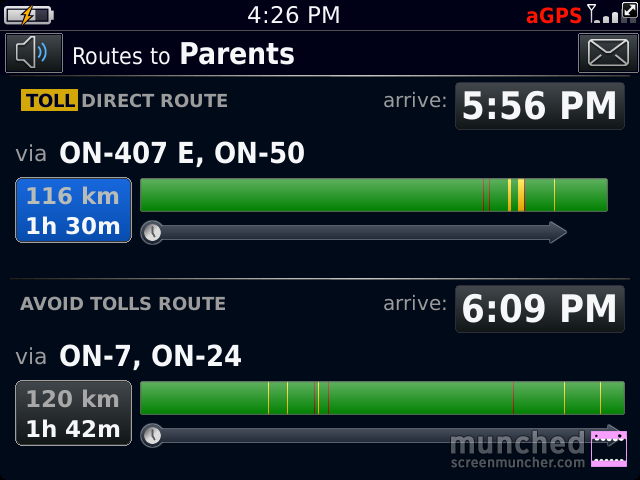
    If I’m going home to visit my parents, I have a plethora of routes I can choose from.  BlackBerry Traffic makes it easy to pick the right one.  I simply select my destination and choose the route that’s quickest.

    The BlackBerry Traffic app screen with the words Routes to Parents at the top and 2 different routes below, one with tolls and one avoiding tolls.
    The choice screen.

    In this case I’d pick the 2nd one because it doesn’t take me on the 407. The green sections indicate good traffic flow, the yellow indicates slower than normal flow, and the red sections mean traffic is very slow.

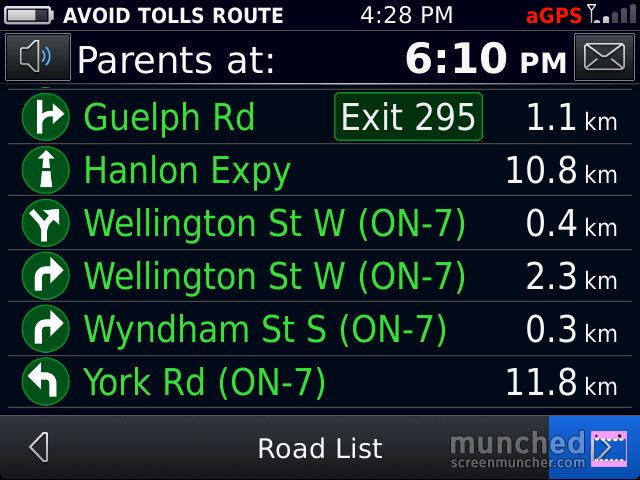
    You can click on a route and it will show you road by road how the traffic is:

    The BlackBerry Traffic directions screen with all of the roads in green, indicating no delays on the route. The top of the screen says Parents at 6:03pm (the ETA), the time on the phone is 4:28
    All Green!

    I’m going to test this app out more thoroughly over the Labour Day weekend when I’ll be doing a lot of driving, some of it to very unfamiliar places.  So far it’s the best traffic app I’ve seen for ANY device.

  • The Camera Question Part II – PlayBook Edition

    The Camera Question Part II – PlayBook Edition

    One of the best features of my BlackBerry PlayBook is its portability.  I didn’t want a tablet I’d need a separate bag to lug around.  I wanted something truly portable.  With its 7 inch display, the PlayBook fits in my purse, meaning I can take it pretty much anywhere I go.  Case in Point – I went to the Honda Indy Toronto on July 6th.  The Toronto area Honda dealers all get together and sponsor the Friday at the Indy so that fans get onto the grounds and into the grandstands for free.  It’s an awesome promotion and a great way for people who wouldn’t be able to afford to go otherwise.  I was going primarily to watch a driver I’ve known for most of his life, James Hinchcliffe, race in the GoDaddy car.  The Indy Cars go in excess of 100 miles per hour so catching them on film isn’t easy.  I decided that instead of using a digital camera,  I would try to take pictures on my BlackBerry Bold 9900 and my PlayBook.

    %{include image.html url=“/wp-content/uploads/2012/07/img_00000037.jpg” alt=“a bright green Indycar turns around a corner on the racetrack at the Honda Indy Toronto with the red Honda bridge visible in the background of the shot” description=“James Hinchcliffe on Track”}

    That would be James on track at full speed.  I was surprised at just how good the camera on the playbook was at taking pictures of objects moving quickly!  The quality of the ones on my bold were just as good.  I love me a good camera.