Tag: Keyboard

  • The Grey Cup with BlackBerry

    The Grey Cup with BlackBerry

    It’s no secret that I love my BlackBerry devices. I also love the Canadian Football League. With the 100th Grey Cup practically in my backyard, I decided that once again this year, I was going to go and report from the big game without taking my old and heavy laptop. This year, however, I did add the BlackBerry Bluetooth keyboard for my PlayBook. This gave me more functionality with very little additional weight.

    I also added a second battery and charging case (which is basically a small case for the extra battery that you plug the regular micro usb adapter into) for my trusty Bold 9900. I knew I would be putting in some very long days and didn’t want to need to find somewhere to plug in my BlackBerry. Between the 2 batteries, I got somewhere in the range of 12-13 hours of heavy use out of my Bold each day. My BlackBerry was in hand from the time I got up (around 6am each day) until I finally got back to my hotel room somewhere between midnight and 1 am.

    I was pulling double duty at the Grey Cup this year – as a member of Argonotes (the official pep band of the Toronto Argonauts) and as a member of the media for Rouge Radio.com. I could not have successfully done both things without my BlackBerry calendar to help me keep track of where I needed to be and when. It was indispensable for getting press releases, schedule updates, and interview requests into my hands immediately so that I could add or adjust my schedule accordingly. Between my Bold and my PlayBook, I had everything I needed: email, calendar, documents to go, a voice recorder, cameras, a phone, access to text messages, Twitter, Facebook, and, of course, BlackBerry Messenger.

    I recorded interviews on my PlayBook while tweeting and taking pictures on my Bold or vice versa. I typed game notes on my PlayBook with the keyboard while watching the game. I freaked out another reporter by using the remote control feature to type on my PlayBook from 2 rows back in the press box. Having words appear on the tablet next to you that you were asked to watch for a couple of minutes can be a freaky experience, especially when the words are addressed specifically to you. (Yes I know, it was wrong to use my PlayBook to freak out other people but it was a prank I’d been planning for awhile and the opportunity presented itself at the Vanier Cup on Friday night.)

    The combination of my Bold 9900 and my PlayBook were all I needed to make the most of my Grey Cup experience – no need to lug around a heavy, awkward laptop, a voice recorder, or a camera – just my trusty BlackBerry Bold 9900 and my PlayBook.

    I will note that being able to update my Facebook, Twitter, and BBM statuses with things like “I just drank out of the Grey Cup” was awesome. I uploaded a ton of Photos, directly from my devices, often while walking between events.

    Have you ever used a tablet instead of a Laptop? Would you consider leaving the laptop at home for a major conference or event?

    Exterior view of the Rogers Centre with 2 banners, a horizontal one reading 100th Grey Cup and a vertical one featuring an image of the Grey cup
    Banners outside the Rogers Centre

    [

  • She’s Connected and my BlackBerry

    She’s Connected and my BlackBerry

    You know what I absolutely love hearing when showing off my Bold 9900?  “Wow, I didn’t know a BlackBerry could do THAT”.  I heard that a lot this weekend at the She’s Connected Conference in Toronto.  Mostly it was the simple things like the fact that managing multiple accounts in the Native Twitter Application is so easy.  Or that I could remote control my PlayBook from my Bold 9900 (to be honest, that was me showing off because I had the bluetooth keyboard for the PlayBook and was perfectly capable of typing on that but I like the wow factor of the remote control).  I loved meeting so many fellow BlackBerry devotees and being able to help them use their devices more easily.  It’s not rocket science but there are tips and tricks that will enhance your experience as a member of Team BlackBerry.

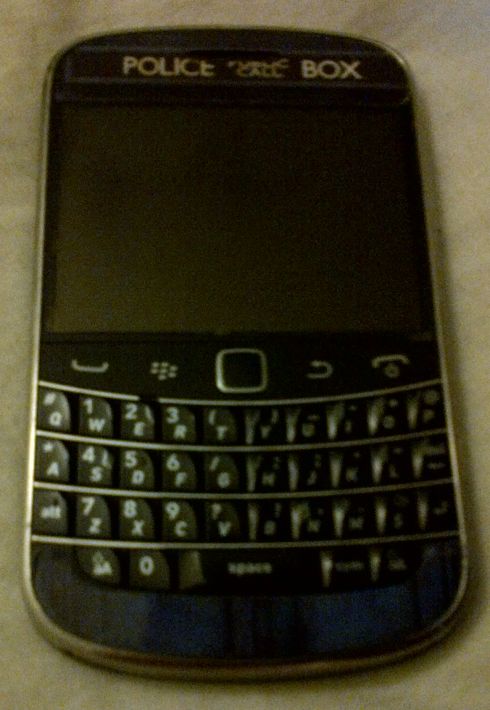
    A BlackBerry Bold 9900 with a sticker on it that makes it look like the TARDIS from Doctor Who - a blue police box
    My BlackBerry Bold 9900

    The one question everyone seemed to ask me was if I was excited about the upcoming release of the BlackBerry 10 devices and operating system.  The answer to that was an unequivocal YES!  I am very excited about BlackBerry 10 and can’t wait until it is released!  I still don’t know how I’m going to get a BlackBerry 10 device into my hot little hands but rest assured, it will be done.  I have friends who are developers for BlackBerry and their excitement at what the BB10 OS can do has rubbed off on me.    I truly believe that there is a core market of BlackBerry users who may have switched to another platform who are waiting for an excuse to come back to the BlackBerry fold.  I believe that the BlackBerry 10 Operating System will be the thing to bring them back.  I spoke to quite a few people who either had been BlackBerry users in the past or who were simply curious about the new product launch.  A number of them were at the end of their cell phone contracts and were eligible for a new device, either now or at the beginning of the year.  After chatting with me, many of them are waiting to see what BlackBerry 10 has to offer before deciding what phone to get. I wasn’t out to strong arm people into becoming members of Team BlackBerry but I wanted people to give it a chance.

    BlackBerry isn’t for everyone.  If you want a smartphone to game on, then this isn’t the right solution for you.  However, if you want your phone to work FOR you, and WITH you then you need to consider BlackBerry.  I primarily use my BlackBerry for social media, emails, as a gps, as a camera, and *gasp* to make and receive phone calls  Yes I have a number of very entertaining apps and games, but they’re not the reason I chose my BlackBerry.  I have far more games on my 64 gb PlayBook.

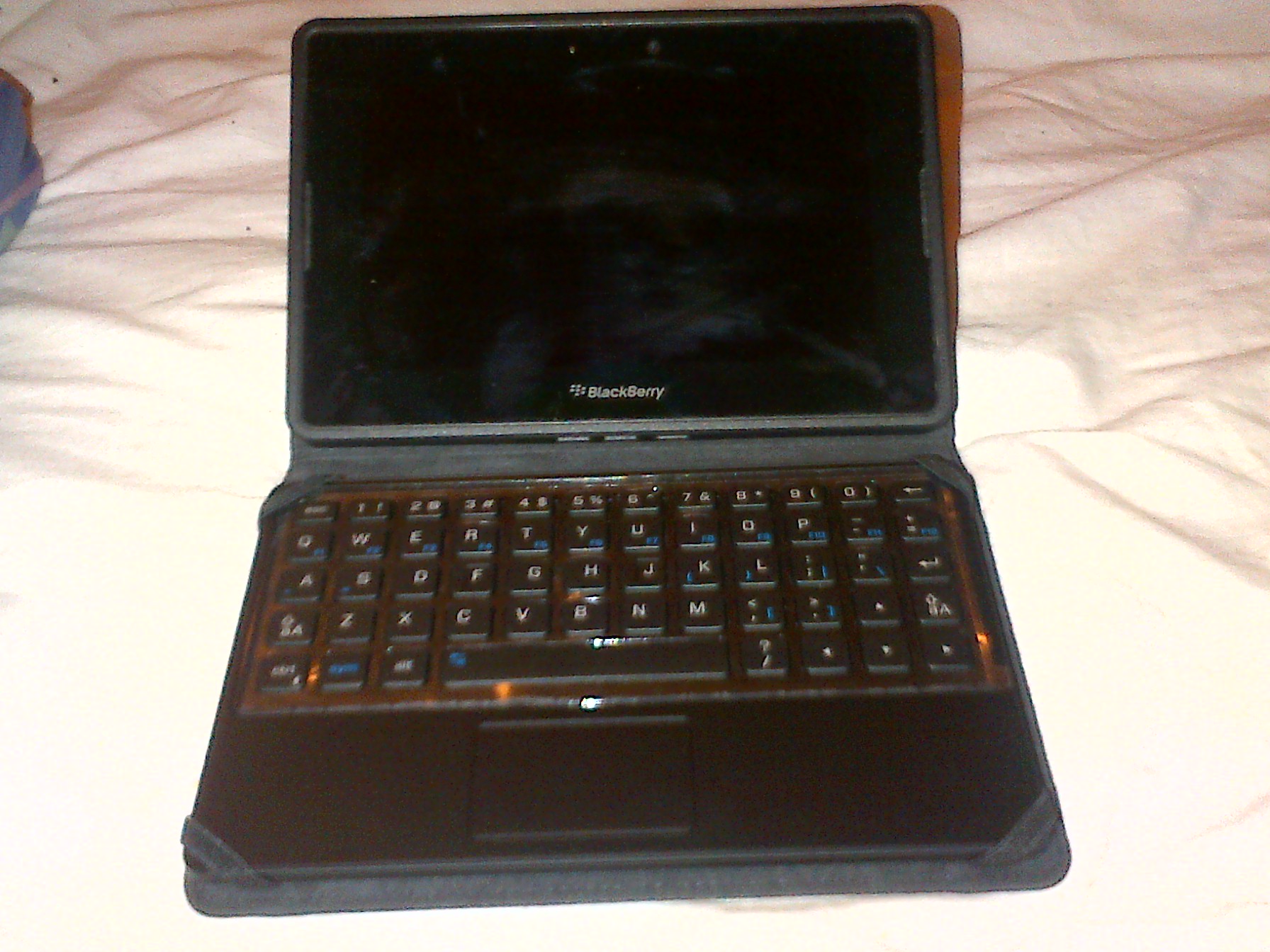
    BlackBerry PlayBook, small rectangular tablet in a case with a full keyboard
    My PlayBook

    Not once all conference did i wish I had a different phone.  My Bold 9900 had no issues connecting to the wifi, releasing the cached wifi info page so I could log in again on the second day, or with maintaining a battery charge throughout the conference.  I don’t want to have to carry around a charger for my phone because it won’t last 10 hours.  I was having too much fun trying to meet up with twitter friends to be hunting for somewhere to plug in my phone.

  • Conference Time!

    Conference Time!

    I’m very excited to be going back to the She’s Connected Conference this year.  Last year I had a great time meeting new people and learning a lot about blogs, brands and how the two can work together.  The only thing I really didn’t like about the experience was lugging my laptop around to take notes on.  This year I’m solving that problem by borrowing a BlackBerry PlayBook Keyboard Case from a friend to test it out during the conference.  If I like it, I may just have to find a way to purchase one. My BlackBerry PlayBook already goes pretty much everywhere I do, so it makes sense to use it at the conference.  I will, of course, also be taking my BlackBerry Bold 9900.  Not only can I use the BlackBerry Bridge and connect my tablet to my phone, but I can use my BlackBerry PlayBook charger to charge everything.  I love the way it looks like a little netbook but one that has a ton of great apps on it.

    %{include image.html url=“/wp-content/uploads/2012/10/playbook-keyboard.jpg” alt=“A BlackBerry Playbook stands up on a bed in a case with a full keyboard” description=“The PlayBook with keyboard”}

    Yes I realize I’m a little insane to be going to a conference about blogging and social media and not taking my laptop.  I still love my laptop (though at 7 years old it’s on its last legs) but I don’t like lugging it around and constantly worrying about it being stolen.  With the keyboard, I have everything I need to make my BlackBerry PlayBook into a mini laptop for the 2 days I’ll need it.  I covered the Grey Cup in 2011 without taking my laptop (again it was a weight / space / afraid it would get broken issue) and didn’t really miss it and won’t be borrowing the digital audio recorder again since the recording on my PlayBook is actually better quality and easier to upload.  One thing I want to try to find before I leave for the conference is a neoprene sleeve so the case doesn’t get scratched when I toss it in my bag.  I got a neoprene case with the PlayBook but it’s too small to fit the PlayBook and case.
    I’m also going to be wearing a BlackBerry shirt to the conference on Friday.  I have promised several people that I’d help set up their BlackBerry devices to do what they needed them to do and I figure it’s best if they can find me.  🙂  While I don’t work for Research In Motion (though I would love to work for such a great company whose products I love and use daily), I have spent a lot of time with my BlackBerry Bold 9900, my friends’ BlackBerries, and I’ve got a pretty good grasp of what’s going on with them.  If I should happen to run into a problem that I can’t fix, I also know that help is only a BBM message away.    If you’re attending the She’s Connected Conference and want me to show you how either my Bold 9900 or my PlayBook / PlayBook with keyboard work just ask!  I’m always happy to talk mobile devices!